Posts Tagged ‘ DIY

Semi-DIY – Pumpkin seating cards

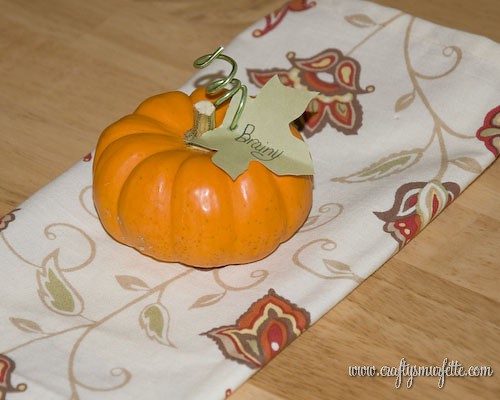
I saw some cute pumpkins sitting on place settings as I strolled through a cute little boutique near my house not too long ago and thought…hum, I could do something like that for Thanksgiving.  So I decided to give it a shot to see how “doable” and “economical” it would be for our family Thanksgiving dinner…and you know what I think it’s a real winner. 

Tools & Supplies Needed:

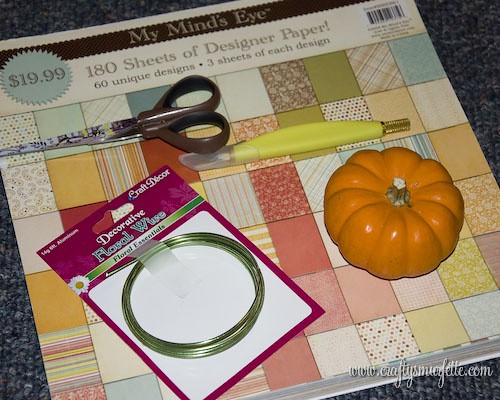
  • Mini Pumpkin or Squash for each place setting
  • Paper to use for leaf name tag
  • Green or Brown wire
  • Marker or Pen
  • Kraft Knife or Ice pick
  • Scissors
  • Leaf Template

Instructions:

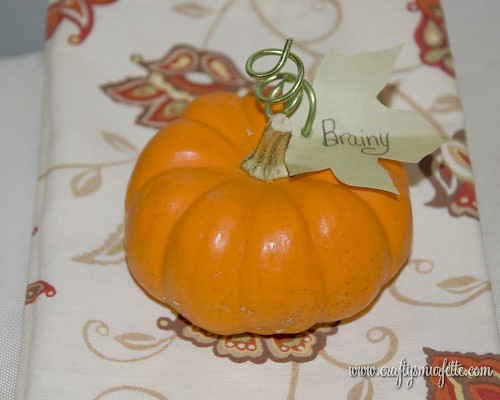
  1. The first step is to cut out your leaves and label them.  For the first attempt (as shown in the photos) I simply printed out some leaves I found on good old Microsoft Clip Art on the back side of my green paper, and then cut them out with scissors.  Then used my trusty black calligraphy pen to write on the names. 

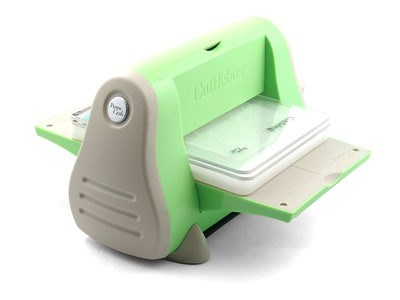
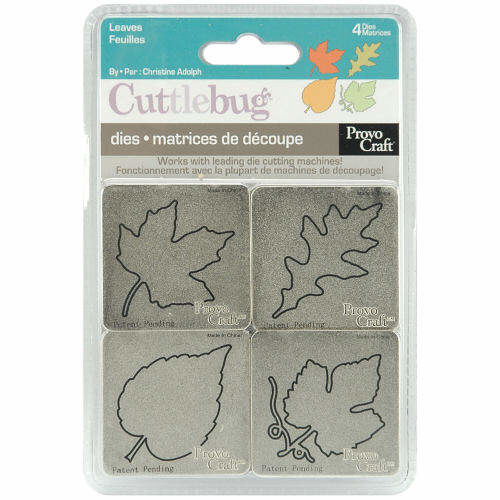
    Then I remembered something that would have worked MUCH better.  The Cuttlebug with the leaves dies.  I already owned them so it was a no brainer.  If you aren’t on the Cuttlebug bandwagon I wouldn’t advise buying one just for this project…unless you have 100′s to do.   In that case I’d recommend buying the dies (under $20)and trying to find someone who would either cut them with their machine or loan it to you for a day.  Heck, email me and if you provide the paper I might run them through it for you in exchange for gift cards ;)
                      (source for both machine & dies:  Provo Craft)

  2. Next it’s time to make the wire coils you’ll use to attach the leaves.  I picked up the wire I used in the little floral section at Dollar Tree.  You could make almost 20 little coils from one package.  Cut off a piece of wire approx 3.5 inches and wrap it around a pen or marker to shape it into the coil. 
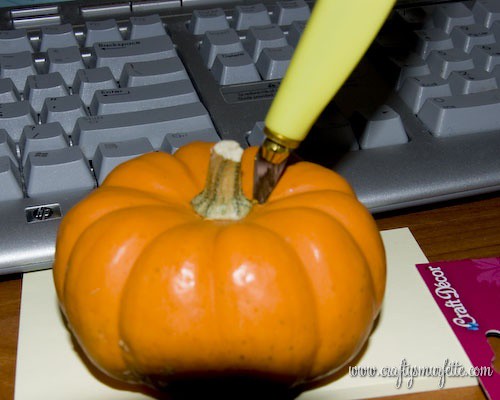
  3. Use your Kraft knife or even an ice pick to poke a small hole in the pumpkin top near the stem.  It should be just a tad bit small than the wire’s diameter to hold it steady.  Have a towel handy to dry off the juice that will seep out when the hole is first made.
  4. Use the knife to make a small cut in the leaves and feed the bottom part of the wire coil through the slit, and place the wire into the hole you created in the pumpkin. 
  5. Push the leaf against the pumpkin and adjust the wire to your liking, then display on a fun fall napkin or onto of your place setting and enjoy.

Price Break Down:

  • Mini Pumpkins – purchased at Wal-Mart Super Center for $0.78 each
  • Green Aluminum Wire – purchased at Dollar Tree – $1.00 for 6 feet
  • Green Paper – Michael’s scrapbook paper – $0.50 per sheet/20 leaves
  • Template – free from MS Word
  • knife, pen, scissors – free already had

TOTAL:  For 20 placesettings = $17.60 so $0.88 each

Overall, I’m proud with how they turned out, especially for 88 cents each!  What do you think?  How will you set your Thanksgiving table?

Semi-DIY – Fabric Petal Flowers

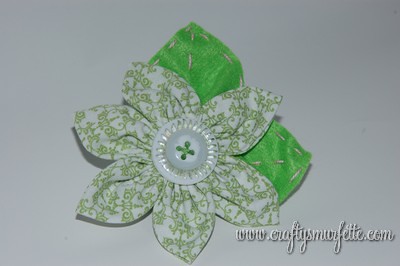
This weekend during all the rain I *gasp* pulled my sewing machine of the basement to finish up a project I started as a gift to my florist/day of coordinator.  I’m super pleased with how it turned out and I hope she feels the same way.  However, I’m being a bit of a tease since I won’t post photos of the finished product until she receives it in the mail.  BUT…I will show you a small piece of the finished product because it could have SO many uses.    The 3-D Fabric Flower!

I played around and made several of these (or at least something similar) using leftover scraps from covering our jam jar favors.  Then I found this tutorial at …and All Things Nice that explained things much better and my flowers came out much cleaner this way. 

I made very few changes:

  • I added in an extra petal
  • My circles were 3 inches in diameter since I already had them cut out from a previous project and wanted larger flowers anyway.
  • I added leaves to the back of my flowers.
    • For some flowers I used left over felt to cut out a leaf shape which I stitched around with embroidery threat and attached it to the back of the flower
    • For others I simply cut out a larger circle and made two leaves using the petal technique from and All Things Nice‘s turorial
  • I attached a small circle of felt to the back of the flower and attached the button before it was attached to the final product
  • Instead of sewing my flower to the end product I attached a snap to the flowers and the backside to the final product.  This way they can be changed out for several different looks.

There are so many ways you could use these flowers!  A few running through my head right now are for:

  • attach a stem and use a bunch of them for a floral arrangement
  • attach stems and use a bunch for a rehersal bouquet for a wedding
  • a toss away bouquet for a wedding
  • a fun pin to add to a wool jacket
  • a fun pin to add to a hat or boggin
  • attach to a hair elastic or barrett for a cute little girl’s hair decoration

Here is a teaser of what I used my fabric flowers for ;)

What will you use your fabric flowers for?


DIY – Lining Envelopes – Making Templates

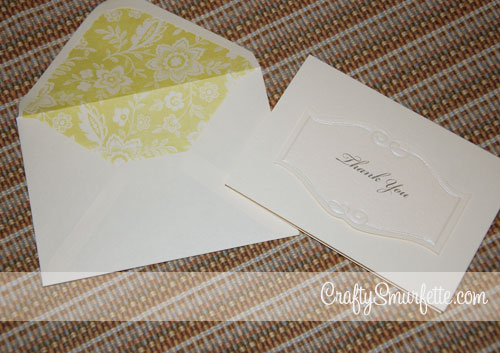
One of the simplest and most cost-effective ways to jazz up your DIY invitations, thank you notes, save the dates, etc. is with lined envelopes.  I used liners to take ”just ok” but economical Michael’s Thank You notes to the next level (you can see them in this post) but since I’ve been asked several time how to line an envelope and where to find templates, I decided to just create a post on making your own template for lining envelopes and list out the best resources I’ve found.
There are quite a few DIY guides out there to how to make envelope liner templates, and I’ve used quite a few of them.

  • This one from Being Crafty has quite a few references to helpful templates
  • Paper-Source is of course the go-to for premade liner templates sized to match their envelope stock.  They sell the liner templates in a package that contains the 4-bar, A2, A6, A7, A9, 5 3/4″ square and 6 1/2″ square templates.  They are made from a sturdy plastic and if you plan to use either Paper Source or Waste Not Paper envelopes the $9.50 is worth it for a perfect match.
  • Paper-Source also sells precut envelope liners in quite a few prints and solids (for those who want the look with less work). These will also fit Waste Not Paper envelopes as well.
  • For the really custom look, You can also create your own envelopes with the Paper Source envelope template kit.  This $15.00 kit also contains sturdy plastic templates for 4-bar, A2, A6, A7 and 5 3/4″ square envelope sizes.  I’ve used these to make envelopes from old maps and lined them with a solid paper that turned out really cute.

But what happens when you don’t live near a Paper-Source, and don’t have time to have the templates shipped to you?  Or what do you do if you have envelopes with square flaps?  or pointy flaps?  Then you do what I’ve done several times through the wedding planning process, make your own template!  It’s really not hard at all….

Tools Needed to create Envelope Liner Template:

  • A piece of Stencil Plastic or other clear plastic to make liner template
  • Black Sharpie Marker
  • Scissors
  • Kraft Knife & cutting pad

Materials Needed for Lining Envelopes:

  • White School Glue Stick or Double Sided tape
  • Printed Paper for liners (a thinner paper works best, I used thin scrapbook paper or a thicker wrapping paper)
  • Envelopes to be lined
  • Kraft Knife & cutting pad
  • Bone folder
  • Optional heavy books to hold paper still

Instructions for Creating  your template:
The one thing I like to do when I’ll be using a particular sized liner over and over is to create the template in a bit more sturdy fashion to keep the wear and tear to a minimum.

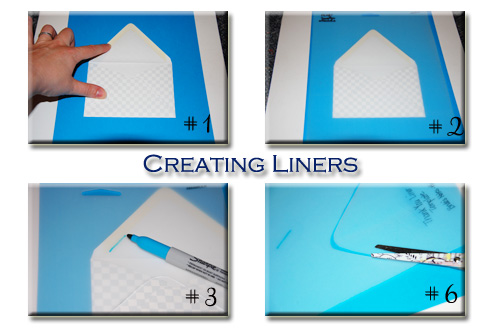
  1. Take one envelope and place it on a firm surface like a cutting mat.
  2. Place the sheet of stencil plastic over the envelope, tape it to your table to help hold it in place if needed.
  3. Using the Sharpie marker start tracing around the inside of the flap on the inside where the glue-line stops.  This will allow the liner to fit right below the sticky part that seals the envelope.  Follow the glue line to the outside edge of each envelope.
  4. Next trace just inside of the bottom edge of the envelope.
  5. Finally place a ruler to connect the top lines with the bottom line.  Move this line just inside the outside edge of the envelope to allow the liner to slide down inside the envelope.  Repeat on the other side.
  6. Cut out the liner and label your template with a sharpie so you’ll have it handy next time you need to line a new envelope of this size
TY_002

Instructions for Using an Envelope Liner Template:
Paper Recommendations & Notes:

Now, you are ready to use your liner to cut out the liners from your selected paper.  I recommend a thinner stock of paper for envelope liners for several reasons.  1) it is easier to work with when it comes to folding down the flaps and 2) it doesn’t add as much extra weight to the envelope.  For those using liners for wedding invitations or the such you know how much drama extra postage costs can be.  So a thinner liner paper equals less added weight to worry about paying for later. For the most recent set of liners I used thin scrapbook paper from a bulk “My Minds Eye” book of papers.  I liked how it had a variety of “vintage” floral prints.  If you are making 4-Bar sized envelope liners, a piece of 12×12 paper you should be able to get 4 liners with a small piece left over that would be a perfect size to reuse as a belly band if you are also DIY’ing your invitations. You’ll also find for A7 & A9 liners you will have less wasted paper left-over if you use standard sized paper (8.5 x 11), with A9 liners using the standard paper will also equal less cuts!

Cutting Out Your Envelope Liners:
There are tons of how-to articles out there on how to cut out envelope liners, and they are all equally helpful.  Everyone has to find the way that works best for them.  Some cut out each liner individually after using the template to draw around the back.  That works wonderfully, however, I had over 100 of these to cut out and I found that a little too slow.  So I came up with a slightly different way to go faster with more uniform cuts.  Again there is no right or wrong way to do this…just find the method that words best for you!

  1. Place your cutting mat on a sturdy flat surface.
  2. Stack 2 or 3 sheets of your paper to be cut so that all the edges are perfectly in line.
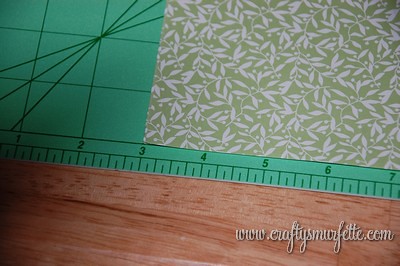
  3. Place stack of paper onto the cutting mat, making sure that everything is still perfectly aligned.  I like to line up the paper using the grid on my mat to ensure I end up with straight lines.
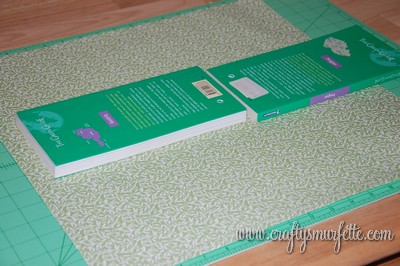
  4. Optional:  Place a couple books or other heavy objects in the middle of the paper to help keep everything firmly in place.  Sewing or pattern weights would also work great for this. 
  5. Lay your liner template down in the bottom left corner of the stack of paper.  Take care to align it on both the bottom and left sides, which will give you fewer cuts to make.  And few cuts = saved time!!
  6. Using one hand to hold the template steady, use the other to run the Kraft knife firmly around the edge of the template.  Make sure to apply enough pressure to cut through all the layers of paper, and keep the knife blade firmly against the edge of the template for the smoothest cuts.
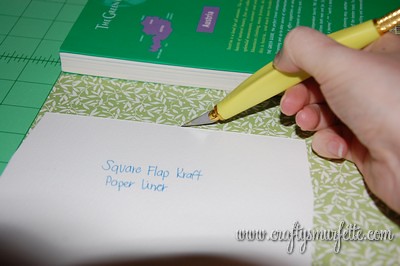
  7. Remove the liners you just cut and move the template to line up again in the lower left corner of the paper.  Repeat on the top section of  your paper after you have cut all the way across the bottom.  If you are using wrapping paper make sure to cut off a piece that is no longer than your cutting mat so it is easier to manage.  Once you have all your liners cut out…it’s time to put them in the envelopes.
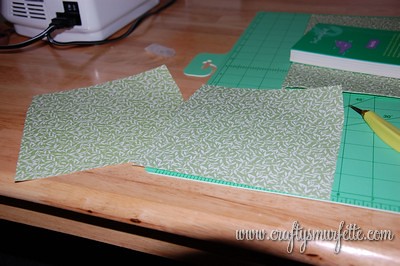
  8. Slide the new liner inside the envelope and line it up so that the top of the liner is just below the glue line. 
  9. Turn the envelope over to the front side, and flip the flap backwards so you are looking at the back of the liner paper.
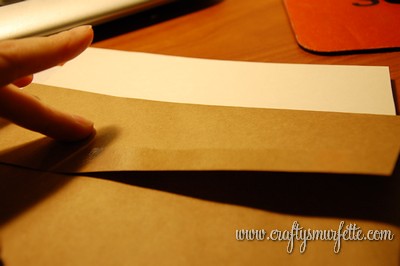
  10. Apply glue stick to the back side of the liner paper
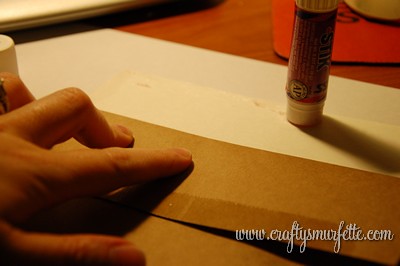
  11. Press flap firmly down onto glued area.
  12. Flip the envelope back over and use the bone folder to carefully run along the inside edge of the fold while you close the envelope.
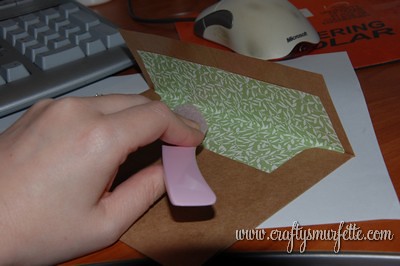
  13. Once closed use the bone folder to run along the fold to ensure the envelope will stay closed.  
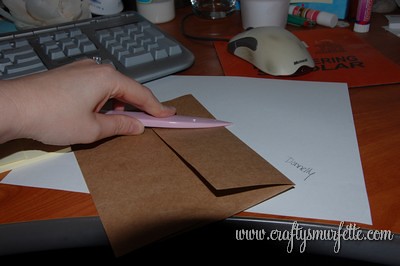
(Optional Tip):  If you have a Scor-Pal (mine came in really handy during the wedding prep) you can set up a scoring template and easily score all your liners really quickly.  To do this line up the base of the envelope in the upper corner and mark the correct line on the tray with a post-it note to serve as your template to know where to score each liner.

Using this method I was able to cut 16 liners in 5 minutes, which is MUCH faster!  Hope this helps a few of you out, and if you have questions please don’t hesitate to email me.

**Note** I do not work for nor do I receive any support or benefit from my recommendation of any products or corporations.  These are purely my options based on my experiences with these products and corporations.
DIY – Fall Napkin Wraps

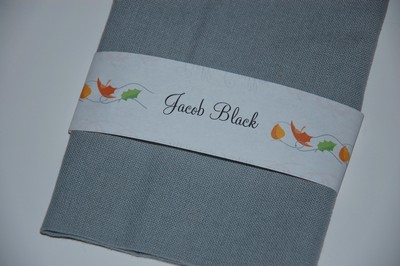
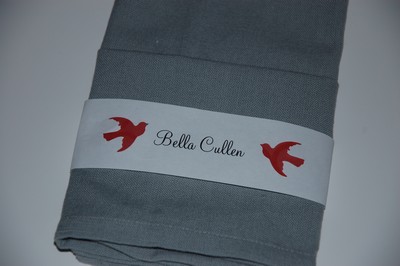
Several of you have emailed me asking for a more fall themed napkin wrap template to use for fall receptions and thanksgiving …so tonight I put together a couple I really like.  Honestly, I’ve been a little shocked at the interest in my little last minute wedding DIY…but I’m so glad others are finding them useful.

Pumpkin Template
I ran across this adorable pumpkin clip on illustrator Tricia Rennea’s blog as a free download a few weeks ago and bookmarked it to use for something “fall related”.  So it was the first fall themed wrap.  I think they are really cute as a napkin wrap.

(csmurf_pumpkinnapkins)

Speaking of  Tricia Rennea if you haven’t already check her out, she does such great illustrations and has a storefront for purchasing some of them on shirts, etc.

Fall Leaves
This inspiration from this one came from good ‘ole Microsoft Clip art.  I think it might be making an appearance at our inaugural Smurfy Thanksgiving this year.

(csmurf_leavesnapkins)

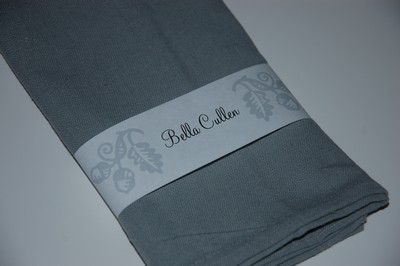
Simple Acorn Template
Again this one came from Microsoft Clip art and then I converted it to a watermark to lighten it up again.  I actually like how well it matches our everyday napkins I used to take the photo!

csmurf_acornnapkins

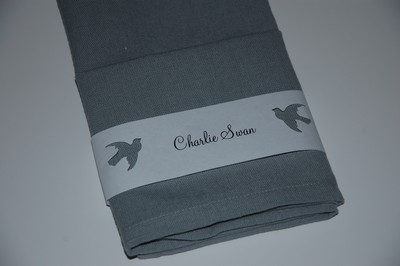
And two more photos just to show you how creative you can be with this little guys.

For example this is what happens if you delete the graphics on the templates and instead use a simple paper punch.  This one is with Martha Stewart’s dove punch.  See how nice it looks that the color of the napkin pops through?

Wouldn’t this be fun with a snowflake punched out for a winter wedding?  Or an ornament for Christmas Dinner?  And for a little more color, what about adding a strip of colored paper behind the punch outs. (please ignore my paper quality… my home office is mid-remodel so I can’t find all the fun papers right now).

Hope this gives you a few more ideas to make this little DIY project work for you.  If you have questions….let me know!

Semi-DIY – Hometown Reception Invitations

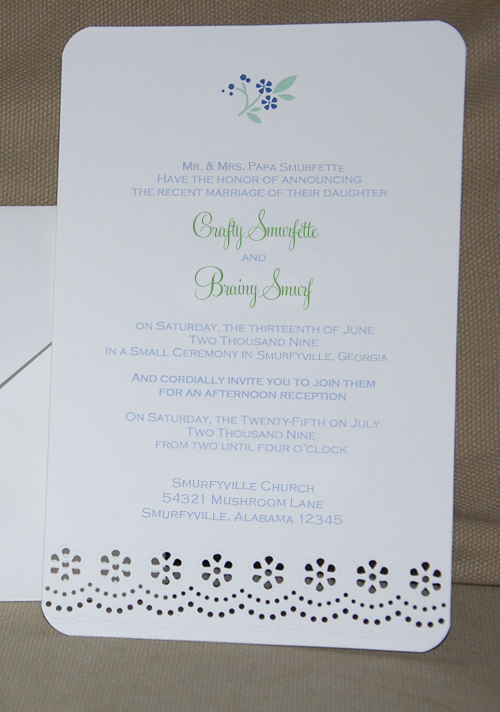
Like I mentioned in a previous post we used clearance invitations for our hometown reception and I think they turned out lovely.

hometown_004

Tools Needed:

Supplies Needed:

  • Martha Stewart Eyelet Invitation Kit (currently on clearance at WalMart and Big Lots)
  • Thin scrapbook paper or wrapping paper for envelope liners (optional)
  1. Download the templates from the Martha Stewart to your computer.  
  2. Use these templates to put together your text and graphics for your invitiations, response cards, and return addressing on the envelopes.  Since we were using these for a hometown reception I could use elements to tie them to our wedding invitations.  We used the same colors and fonts,  I even included a flower from that set as well.  
  3. Print out your invitation first on the templates provided in the kit, this will allow you make sure your margins, etc are correct.  You can also do this with the response cards and envelopes.
  4. Print out the remainder of your items.  I printed my invitations in groups of 25, but you’ll need to rest to see how many your printer works best with.

Optional Steps:

  1. We then rounded the corners to give it a little extra “something”.  It actually went fairly quickly.  
  2. We also used a fun wrapping paper from Ikea to line the envelopes.  I wish I had a photo of those since they really made the invitation look much different from a “home printed invitiation”.

hometown_001

Price Breakdown:

3 invitation kit sets (found on clearance at walmart) = $27.00
2 rolls of wrapping paper for liners = $5.99  from Ikea
Color Ink for Printer (already had from previous project) = FREE
Stamps for 120 invitiations = $56.40
======================================
TOTAL $ 89.39 for 120 invites so $0.75 per invite :)

I lucked out and found them at WalMart on clearance thanks to the wonderful Weddingbee boards, but now I read that you could find them even cheaper at your local BigLots.  I think they turned out really cute…especially given we spent $0.74 per invite!

DIY – Wedding Menus

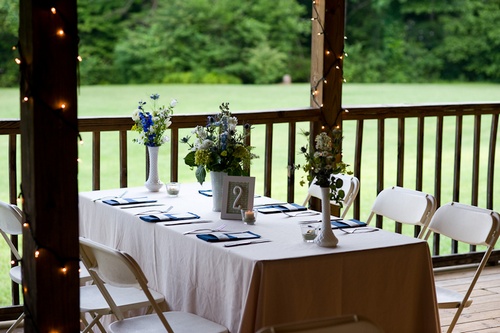
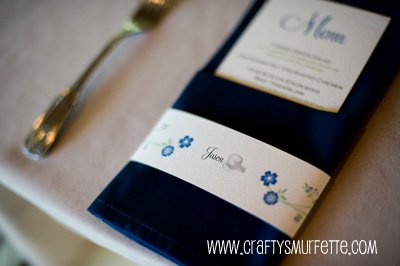
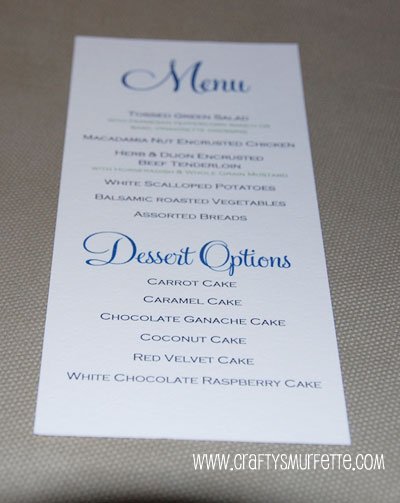
While menus weren’t a must have for our wedding, I think having them gave the table-scape a little “something, something” tied in with the napkins.  Plus since we did a buffet it gave everyone an idea of what to expect when their table was dismissed to be served.  I created our menu template using good ole Microsoft Word with Feel Script font (but used a free substitute on the templates below).  Other than cutting the paper they were one of the easiest DIY projects I completed for the wedding.

Blue Napkins
(photo by Climie+Co, name blurring my me)

Tools Needed:

Supplies Needed:

  • 8.5 x 11 inches Ivory or White Cardstock – 1 sheet makes 3 menus  (I used cover stock from PaperSource in Luxe White but Cold Press watercolor paper would work well also)

Instructions:

  • If you don’t already have it loaded on your computer, download and install the font of your choice.  This project uses Copperplate Gothic (which came with MS Word) and Monterey-BT.
  • Download the Menu Template from above and update to your menu items of choice.    Verify that the paper size is set to a custom size with a width of 3.66 inches and a height of 8.5 inches.
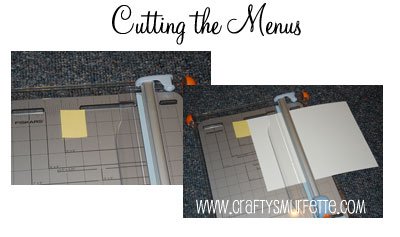
  • Cut your standard sized paper into 3 menu sized pieces*.  Each menu is setup to be 3.66 inches wide, so a 1/3 of a standard sheet of paper’s width if in landscape mode.  Using your paper cutter cut each sheet into 3 equal pieces.  To make this process less tedious I constructed a “guard” of sorts using a post-it note placed in the correct cutting position.  Then I could just line my paper up against it’s edge and make a consistent sized cut each time.  In retrospect it would have been even easier if I’d used a piece of heavier cardstock taped to my cutting deck so I have more of a solid edge to line up against.  With my cutter and this easier method of alignment, I could easily cut through 2 pieces of coverstock at a time.

  • Load the menu paper into your printer and print only 2 or 3 menus to start with to ensure everything is working correctly.
  • Print your menus out in smaller sized groups to verify consistency in the printer feed. I did groups of 20 which worked well with my HP Deskjet D4160.

  • Have a glass to wine to celebrate a quick and painless DIY project.
  • Be sure to take a photo of the finished product and email it to me!  I love detail photos!!

*Because my printer works well with custom sized paper I cut my paper into the correct menu sized pieces before printing.  This meant not having to use a more time consuming program like Adobe Illustrator to create cut marks and spaces between each menu to allow for cutting, etc.  It also meant that once the printing was finished so were the menus.  I would suggest cutting a regular piece of copy paper into the correct size and verify your printer can handle the custom size before precutting all your paper.

**If you have hundreds of menus to create you could easily take your paper to Kinko’s or some similar place to have it precut.  You would need to pay for 2 cuts, so typically less than $4.00.

DIY – Save the Dates – The Reveal

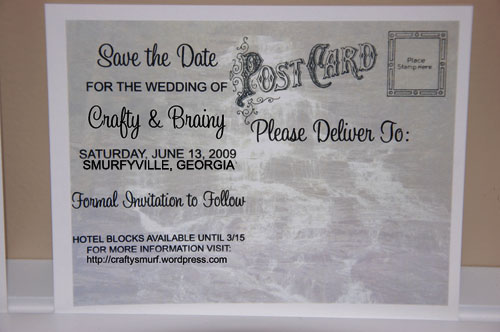
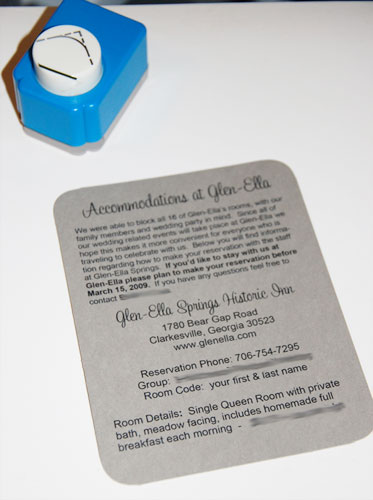
After a few hours fighting with Adobe InDesign and Photoshop to get the look I wanted, I started dropping graphics and text into a post card template I had created in InDesign.  I create two documents; one for the front of the cards and another set to landscape for the backs.  I then created a 3rd document with the accommodations instructions that the wedding party would receive in addition to the Save the Date cards.

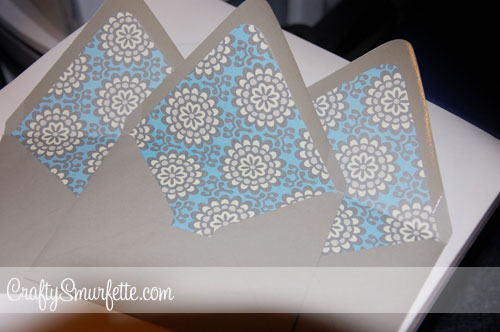
By this time I was running out of time, and patience so I saved both files as PDF files.  We ran these down to the local big Office Supply store and had them printed on heavy ivory cardstock which gave them a bit “older” look.  While these were being completed for us, I ran home and printed out the accommodations cards on some gray cardstock, cut the page into 4 cards and rounded the corners to make them look a bit more finished.  We used corresponding gray Paper-Source envelopes which I lined with Amy Butler print scrapbook paper.  Printing and cutting were our biggest expense but the whole project for 100 cards cost around $65 (including postage).  They were pretty far from where we started, but we were both happy with how they turned out.

STD_001

STD_002

STD_003

STD_004

I didn’t create detailed instructions because I wasn’t sure anyone would be interested.  I will be glad to email you the InDesign template, or answer any other questions about creating DIY postcards if you send me a message.

DIY – Postcard Save the Dates – Part 1

My first task was to find a postcard template that looked vintage, or make one.  Oh how I wish this wonderful resource from Blah, Blah, Blahg existed several months ago.

I set out to draw my own.  That didn’t go so well.  Then I tried finding a stamp online, but nothing really said “vintage” to me.  By now we are 2 weeks past the “should have” sent date.  I wondered if I could buy a vintage post card and copy it…then it hit me.  I HAD some vintage postcards.  Earlier this year while helping clean out my grandmother’s house I had picked up a handful of unused Christmas postcards.  Now I just had to find them…..

Here are a few of them.  Aren’t they fun?

STD_006

STD_005

STD_004

Isn’t that just perfect?  So I scanned it in, saved it as a graphic and got started on the front of the card.